

Mobile Friendly Website Importance is growing as more people use smartphones to browse the internet. Customers visit websites to find services, compare products, read information, and contact businesses.
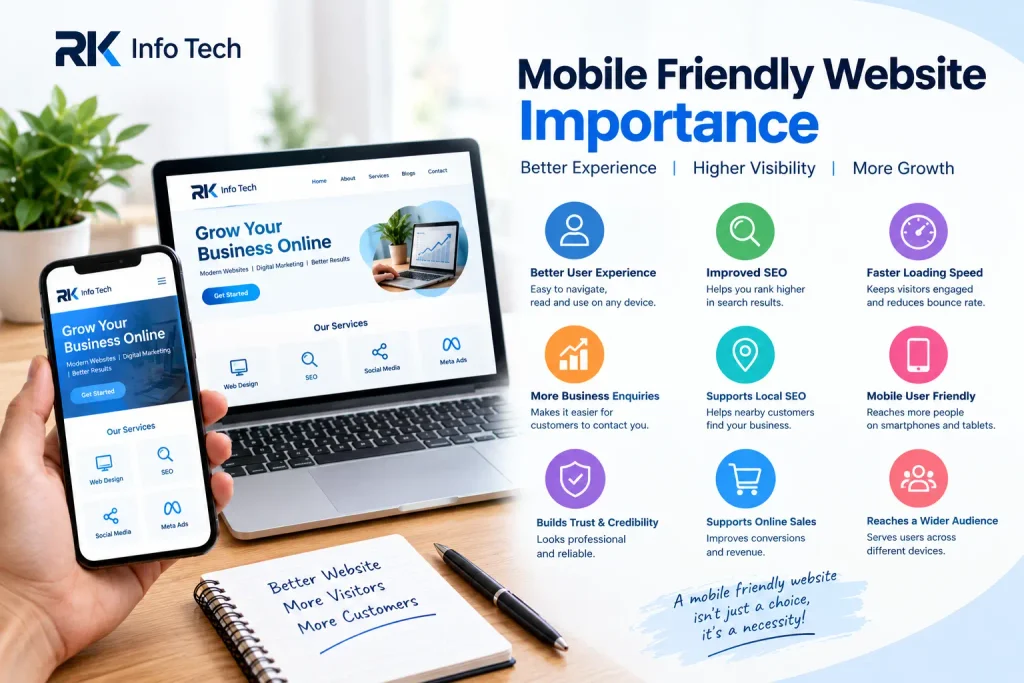
If your website does not work properly on mobile devices, visitors may leave without taking action. Small text, slow loading, and difficult navigation can create a poor user experience.
A mobile-friendly website helps visitors browse comfortably on smartphones and tablets. It can also support customer engagement, enquiries, and online sales.
In this blog, RK Info Tech explains the importance of mobile-friendly websites and how businesses can improve their website experience.
What Is a Mobile-Friendly Website?
A mobile-friendly website is designed to work well on smartphones and tablets. Its content adjusts to different screen sizes and remains easy to read.
Visitors should be able to navigate pages, view images, and use buttons without unnecessary zooming or horizontal scrolling.
A mobile friendly website importance may use responsive design. This allows the layout to adjust automatically according to the device’s screen size.
For example, a desktop website may show three service columns. On a smartphone, those columns can appear one below another.
Understanding Mobile Friendly Website Importance helps businesses create websites that serve users across different devices.
1. Provides a Better User Experience
User experience is one of the main reasons businesses need mobile-friendly websites. Visitors expect websites to be easy to use.
If text is too small or buttons are difficult to tap, users may become frustrated. Complicated menus can also make important information difficult to find.
A mobile-friendly website makes browsing simpler.
Use readable text, clear menus, suitable spacing, and easy-to-use buttons. Keep important information accessible without unnecessary steps.
A positive experience encourages visitors to explore your services and learn more about your business.
2. Helps Improve Search Engine Visibility
Google primarily uses the mobile version of a website’s content for indexing. This makes the mobile version important for search visibility.
A website should provide useful content and a consistent experience across devices.
However, mobile-friendliness alone does not guarantee higher rankings. Search visibility also depends on content quality, technical SEO, page experience, and other factors.
Businesses should review their mobile pages and ensure that important content is accessible.
Learning about Mobile Friendly Website Importance can help website owners make better decisions about technical SEO and website design.
3. Improves Website Loading Experience
Website speed matters on both mobile and desktop devices. Slow pages can discourage visitors from exploring your services.
Large images, unnecessary scripts, and poorly optimised website elements may affect loading speed.
You can improve the experience by compressing images, reducing unnecessary scripts, and using reliable hosting.
Avoid adding too many animations or heavy design elements.
Also, test your website on mobile connections. A page that loads quickly on a desktop computer may perform differently on a smartphone.
Faster loading can help visitors access information with less waiting.
4. Helps Generate More Business Enquiries
Many people use smartphones to search for local services. They may want to call a business, request a quotation, or submit an enquiry.
A mobile-friendly website makes these actions easier.
Add visible contact buttons, simple enquiry forms, and clear service information. Make sure phone numbers are easy to tap.
Avoid forms with too many unnecessary fields.
For example, a digital marketing agency can provide a prominent enquiry button on its mobile homepage. Interested visitors can contact the team without searching through several pages.
This is another practical example of Mobile Friendly Website Importance for service-based businesses.
5. Supports Local SEO
Mobile users often search for services in their area. They may look for a nearby agency, shop, restaurant, or professional service.
A mobile-friendly website helps these users access business information conveniently.
Include accurate contact details, relevant service pages, and location information where appropriate.
You can also provide a clear link to your business location or contact page.
For local businesses, mobile usability should work alongside other local SEO practices, such as maintaining an accurate Google Business Profile.
A convenient mobile experience can help potential customers find the information they need.
6. Makes Navigation Easier
Navigation helps visitors move between different website pages. On mobile devices, menus should be simple and easy to use.
Use a clear menu structure and avoid overcrowding the screen with links.
Important pages may include:
- Home
- About Us
- Our Services
- Our Blogs
- Contact Us
Make sure buttons and links have enough spacing. This reduces accidental taps.
Keep the most important information easy to find.
Good navigation helps visitors understand your business and discover relevant services without frustration.
7. Builds Trust and Professional Credibility
Your website often creates a first impression of your business. A poorly displayed mobile website can make your business appear outdated or unreliable.
A professional mobile layout communicates care and attention to detail.
Use consistent branding, readable text, high-quality images, and clear contact information.
Check that logos display correctly and that images do not overlap text.
A clean design can help visitors feel more comfortable exploring your business. It cannot guarantee trust, but it supports a more professional online presence.
8. Supports Online Sales and Conversions
For online stores, mobile usability is especially important. Customers may browse products, compare prices, and complete purchases using smartphones.
Complicated checkout pages can cause customers to abandon their carts.
Make product information easy to read. Use clear product images and visible purchase buttons.
Keep checkout forms simple and provide clear information about delivery, payment, and returns.
Test the complete buying process on a mobile device.
A smooth mobile shopping experience can reduce unnecessary barriers between product discovery and purchase.
9. Helps Businesses Reach More Users
People use different devices to access the internet. Some browse on desktop computers, while others rely mainly on smartphones.
A responsive website helps serve visitors across these devices.
Content should remain readable, images should fit the screen, and buttons should stay accessible.
You do not need to create a completely separate website for every device. Responsive design can adjust a single website to different screen sizes.
Understanding Mobile Friendly Website Importance helps businesses avoid providing a desktop-only experience to mobile visitors.
10. Reduces Frustration and Unnecessary Exits
Visitors may leave a website when they cannot find information or use its features easily.
Common problems include overlapping text, broken layouts, tiny buttons, and horizontal scrolling.
Review your most important pages on different screen sizes.
Check the homepage, service pages, contact forms, and blog posts. Make sure the main content remains accessible.
A clear layout gives visitors fewer reasons to leave because of usability problems.
However, visitors may still leave for many reasons, including irrelevant content or a service that does not match their needs.
11. Makes Website Maintenance More Efficient
Responsive design can make website management easier. Instead of maintaining separate desktop and mobile versions, businesses can manage one website that adapts to different screens.
This can reduce duplicated work and help maintain consistent content.
However, responsive design still requires testing. Updates to themes, plugins, images, or page layouts can create mobile display problems.
Review your website after making significant changes.
For WordPress websites, test pages after updating Elementor, themes, or other important plugins.
Regular checks help maintain a consistent experience across devices.
12. How to Make Your Website Mobile-Friendly
Improving mobile usability does not always require rebuilding your entire website. Start by identifying the biggest problems.
Follow these practical steps:
- Use a responsive website theme.
- Keep text readable on small screens.
- Compress large images.
- Make buttons easy to tap.
- Simplify navigation menus.
- Remove unnecessary pop-ups.
- Keep contact forms short.
- Check mobile page loading speed.
- Test all important links and forms.
- Review pages on different screen sizes.
You can use Google’s PageSpeed Insights to review performance and identify possible improvements.
Test both the visual layout and the actual user journey. A page may look good but still have a broken button or enquiry form.
How RK Info Tech Can Help
RK Info Tech provides website design and digital marketing services for businesses looking to improve their online presence.
A professional website should be accessible, easy to navigate, and suitable for mobile users. Responsive layouts and clear page structures can help visitors find important information.
Our services include website design, SEO, social media marketing, and related digital marketing support.
We help businesses explore website improvements based on their needs and goals.
If your website is difficult to use on smartphones, RK Info Tech can help you consider suitable design and optimisation options.
Conclusion
Mobile Friendly Website Importance goes beyond making a website look good on a smartphone. It includes usability, accessibility, loading experience, navigation, and convenient customer actions.
A mobile-friendly website helps visitors read information, explore services, and contact businesses more easily.
Start by testing your current website on different devices. Fix layout problems, improve navigation, and make important actions simple.
With regular testing and thoughtful improvements, your website can provide a better experience for both mobile and desktop users.
Frequently Asked Questions
1. What Is the Importance of a Mobile-Friendly Website?
A mobile-friendly website makes it easier for smartphone users to read content, navigate pages, and contact businesses. It supports a more convenient browsing experience.
2. What Does Mobile-Friendly Website Mean?
It means a website works properly on mobile devices. Text, images, menus, and buttons should adjust to smaller screens and remain usable.
3. Does a Mobile-Friendly Website Help SEO?
Yes, mobile usability matters because Google primarily uses the mobile version of website content for indexing. However, good rankings also depend on other SEO factors.
4. What Is Responsive Website Design?
Responsive design allows a website layout to adapt to different screen sizes. It helps provide a consistent experience across smartphones, tablets, and desktop computers.
5. How Can I Check Whether My Website Is Mobile-Friendly?
Open your website on different smartphones and screen sizes. Check text readability, navigation, buttons, forms, images, and loading speed. PageSpeed Insights can also identify performance issues.
6. Can a Mobile-Friendly Website Generate More Leads?
It can make contacting your business easier through visible phone numbers, clear enquiry buttons, and simple forms. Actual lead generation depends on several other factors.
7. Is Mobile-Friendly Design Important for Small Businesses?
Yes. Small businesses often rely on their websites to share services, contact details, and business information. A mobile-friendly design helps smartphone users access this information conveniently.
8. Does Mobile-Friendly Mean the Website Loads Fast?
Not necessarily. Mobile-friendly design focuses on usability across mobile devices. Speed is a separate but important part of website performance.
9. Can I Make My WordPress Website Mobile-Friendly?
Yes. You can use a responsive theme and adjust page layouts, fonts, images, and spacing. If you use Elementor, review the desktop, tablet, and mobile responsive settings.
10. How Often Should I Test My Website on Mobile?
Test your website after major design changes, theme or plugin updates, and new page launches. Periodic checks can also help identify problems before they affect visitors.