

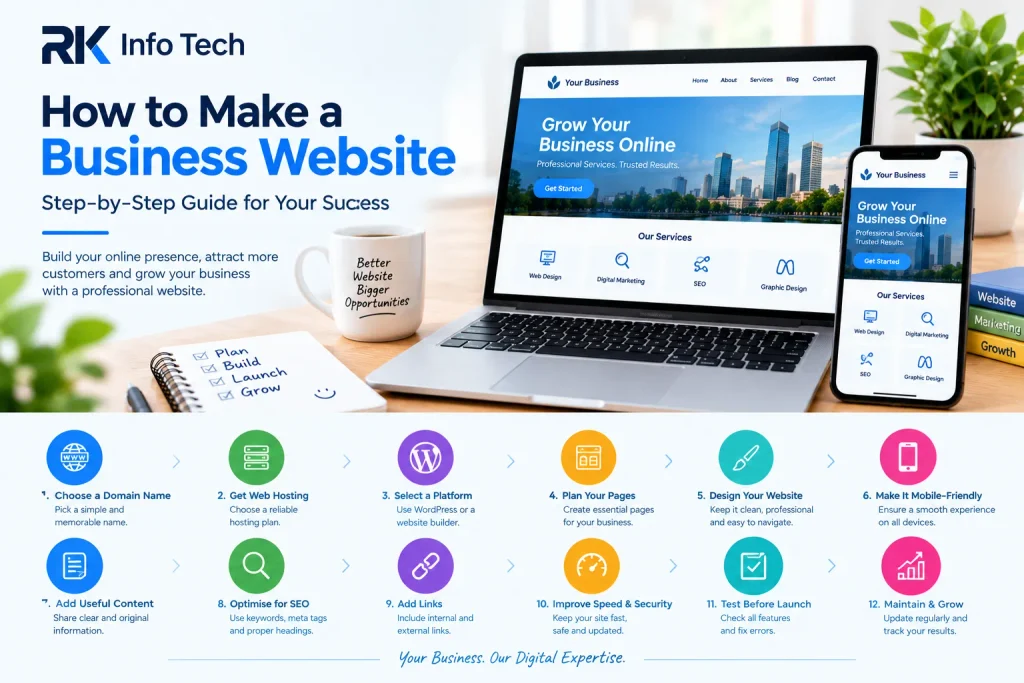
How to Make a Business Website is a common question for business owners who want to grow online. A professional website helps customers learn about your business, explore your services, and contact you easily.
Today, people often search online before choosing a company or service provider. Without a website, your business may miss opportunities to connect with potential customers.
The good news is that creating a business website does not have to be complicated. With the right plan and tools, you can build a useful website for your business.
In this blog, RK Info Tech explains how to make a business website step by step.
Why Does Your Business Need a Website?
A business website gives your company an online presence. Customers can learn about your products, services, location, and contact details.
Here are some important benefits:
- Builds credibility: A professional website creates a stronger first impression.
- Provides information: Customers can explore your services anytime.
- Generates enquiries: Visitors can call, email, or submit contact forms.
- Supports SEO: Optimised pages can help people discover your business through search engines.
- Promotes services: You can showcase products, projects, and customer reviews.
- Supports growth: Your website can help you reach customers beyond your immediate area.
A website should support your business goals and make it easy for visitors to take action.
1. Decide the Purpose of Your Website
Before building your website, decide what you want it to achieve.
Different businesses need different website features. A service company may focus on enquiries, while an online store needs product pages and checkout functionality.
Ask yourself these questions:
- What products or services do I offer?
- Who are my target customers?
- What information do visitors need?
- Do I want phone calls, enquiries, bookings, or sales?
- Which features does my business require?
For example, a digital marketing agency may need service pages, a portfolio, a blog, and a contact form.
A clear purpose helps you plan the website structure and avoid unnecessary features.
2. Choose a Domain Name
A domain name is your website’s address on the internet. For example, yourbusiness.com can be used as your business domain.
Choose a name that is simple, professional, and easy to remember.
Follow these tips:
- Use your business name when possible.
- Keep the domain short and readable.
- Avoid unnecessary numbers and hyphens.
- Choose a suitable domain extension.
- Check that the name does not conflict with another brand.
You can register a domain through a reputable domain registrar or hosting provider.
Check availability before deciding on your final domain name.
3. Select a Web Hosting Plan
Web hosting stores your website files and makes them accessible online.
Your hosting choice affects website performance, storage, security features, and available resources.
Common hosting options include:
- Shared hosting: Suitable for many small websites starting out.
- Business hosting: May provide additional resources for growing websites.
- Cloud hosting: Can offer flexible resources for changing workloads.
- Managed WordPress hosting: Provides hosting services designed for WordPress websites.
Choose a plan based on your website’s requirements and budget.
Check renewal prices, backups, SSL support, storage, and customer support before purchasing.
You do not always need an expensive plan to launch a small business website.
4. Choose a Website Building Platform
A website builder helps you create pages without developing everything from scratch.
Popular options include WordPress and hosted website builders.
WordPress is a flexible option for business websites. It supports themes, plugins, blogs, service pages, and many custom features.
Website builders may offer simpler setup processes for beginners.
Consider these factors when choosing a platform:
- Ease of use
- Design flexibility
- SEO features
- Mobile responsiveness
- Security and updates
- Future expansion
- Total cost
If you use WordPress, a suitable theme and page builder can help you create your website layout.
Choose a platform that you can manage comfortably as your business grows.
5. Plan Your Website Pages
A clear website structure helps visitors find information quickly.
Most small business websites need several essential pages.
Home Page
Your homepage introduces your business. Explain what you offer and who you serve.
Add a clear headline, a short introduction, important services, and a contact button.
About Us Page
Tell visitors about your business, experience, values, and approach.
Keep the information genuine and relevant to your customers.
Services or Products Page
Describe your services or products clearly. Explain the benefits and include relevant images or examples.
For multiple services, consider creating separate pages when each service needs detailed information.
Contact Us Page
Provide your phone number, email address, and other relevant contact information.
You can also add a contact form and business location when appropriate.
Blog Page
A blog allows you to publish helpful articles related to your industry.
Useful blog content can answer customer questions and support your SEO strategy.
6. Design a Professional Website
Your website design should match your brand and make information easy to understand.
Use consistent colours, readable fonts, suitable images, and clear spacing.
Avoid adding too many animations, pop-ups, or decorative elements.
Important design tips include:
- Keep navigation simple.
- Make headings easy to read.
- Use high-quality images.
- Display contact details clearly.
- Keep buttons visible.
- Maintain consistent branding.
- Use enough space between sections.
Your website does not need to be complicated to look professional.
Focus on helping visitors understand your business and find the information they need.
7. Make Your Website Mobile-Friendly
Many people visit business websites through smartphones. Your pages should work well on smaller screens.
A responsive website adjusts its layout to different screen sizes.
Check that text is readable without zooming. Buttons should be easy to tap, and images should fit the screen.
Test your navigation menu, contact forms, and enquiry buttons on mobile devices.
Also, check that your website does not require unnecessary horizontal scrolling.
A mobile-friendly design helps visitors browse your website comfortably across different devices.
8. Add Useful and Original Content
Website content explains your business and helps visitors understand your services.
Write in simple language and focus on customer needs.
Your content should answer common questions and explain how your business can help.
For example, a web design company could describe its design process, services, project experience, and support options.
Before publishing content, check that it is:
- Original and accurate.
- Easy to read.
- Relevant to your audience.
- Organised with headings.
- Free from avoidable spelling mistakes.
- Clear about the next step.
Avoid copying text from competitors. Explain your services in your own words.
9. Optimise Your Website for SEO
Search engine optimisation helps search engines understand your website pages. It can support your visibility for relevant searches.
Start with these basic SEO practices:
- Research relevant keywords.
- Write unique page titles.
- Add useful meta descriptions.
- Use clear headings.
- Create descriptive URLs.
- Optimise image alt text.
- Add relevant internal links.
- Publish helpful content.
- Ensure search engines can access important pages.
For local businesses, include your service area where it is relevant.
For example, a Jalandhar-based business may create a useful page explaining the services it provides to customers in Jalandhar.
SEO takes time, and following these steps does not guarantee specific rankings.
10. Add Contact Forms and Calls to Action
Your website should make it easy for visitors to contact you.
Add visible buttons such as “Contact Us,” “Request a Quote,” or “Book a Consultation.”
Use a contact form that asks for essential information only.
Typical fields include:
- Name
- Email address
- Phone number
- Required service
- Message
Test the form before launching your website. Make sure submissions reach the correct email address or enquiry system.
Also, display your business phone number clearly.
Simple contact options help visitors take the next step when they are interested in your services.
11. Improve Website Speed and Security
Website speed and security are important for a reliable online experience.
Large images, unnecessary plugins, and excessive scripts may affect performance.
You can improve your website by compressing images, removing unused plugins, and choosing suitable hosting.
For security, use HTTPS with a valid SSL certificate. Keep your website platform, themes, and plugins updated.
You should also arrange regular backups and use strong passwords.
Review your website after updates to make sure important pages and forms still work correctly.
12. Test Your Website Before Launching
Do not publish your website without checking its main features.
Review each important page on desktop and mobile devices.
Use this launch checklist:
- All pages display correctly.
- Text and images are accurate.
- Menus and buttons work.
- Contact forms submit correctly.
- Phone numbers and email links work.
- Website works on mobile devices.
- HTTPS is active.
- Page loading performance is acceptable.
- Basic SEO settings are complete.
- Backups and security measures are in place.
Ask someone else to browse the website. A fresh perspective may reveal problems you missed.
13. Maintain and Update Your Website
Launching your website is only the beginning. Regular maintenance helps keep it useful and reliable.
Update service information, business hours, contact details, and important announcements.
Publish new blog posts when you have useful information to share.
Check for broken links, outdated content, security updates, and performance issues.
Review website analytics to understand which pages attract visitors and where improvements may be needed.
A regularly maintained website can continue supporting your business as your services and goals change.
How RK Info Tech Can Help
RK Info Tech provides website design and digital marketing services for businesses looking to strengthen their online presence.
We help businesses explore website layouts, service pages, mobile-friendly design, and basic SEO improvements.
A good business website should communicate your services clearly and make it easy for customers to contact you.
If you are planning a new website or improving an existing one, RK Info Tech can help you explore suitable solutions for your business.
Conclusion
Learning how to make a business website becomes easier when you follow a clear process.
Start by defining your goals and choosing a domain, hosting plan, and website platform. Then create useful pages, add original content, and build a professional design.
Make your website mobile-friendly, optimise it for search engines, and test every important feature before launching.
After launch, keep your content updated and review performance regularly.
A well-planned website can help your business build credibility, share information, and connect with potential customers online.
Frequently Asked Questions
1. How to Make a Business Website for Beginners?
Start by choosing a domain name, hosting plan, and website platform. Create essential pages, add useful content, and test the website before launching.
2. How Much Does It Cost to Build a Business Website?
The cost depends on the platform, hosting, domain, design, and features you need. A simple website usually costs less than a custom website or online store.
3. Can I Build a Business Website Without Coding?
Yes. Platforms such as WordPress and website builders allow you to create websites with visual tools and ready-made templates.
4. Is WordPress Good for Business Websites?
WordPress is a flexible option for many businesses. It supports service pages, blogs, contact forms, SEO tools, and additional features through themes and plugins.
5. What Pages Should a Business Website Have?
Most small business websites need a homepage, About Us page, Services or Products page, Contact Us page, and sometimes a blog.
6. How Long Does It Take to Make a Business Website?
A simple website may take a few days or weeks, depending on its design and content. Larger websites may require more planning, development, and testing.
7. Is SEO Necessary for a Business Website?
SEO can help people discover your website through relevant search queries. Basic optimisation includes useful content, page titles, headings, internal links, and technical checks.
8. Why Should a Business Website Be Mobile-Friendly?
A mobile-friendly website helps smartphone users read content, navigate pages, and contact your business more easily.
9. How Can I Get Customers Through My Website?
Provide useful service information, clear calls to action, contact forms, and relevant content. SEO, social media, and online advertising can help attract visitors.
10. Can RK Info Tech Help Me Build a Business Website?
RK Info Tech offers website design and digital marketing services. You can discuss your business goals and website requirements to explore suitable options.